Engineering Calsi Write view brings textbook-style calculation to Android
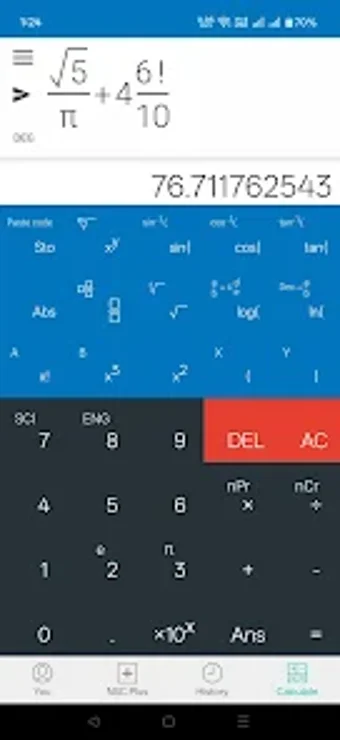
Enter equations as you would on paper using the Write view, then solve symbolic integrals, derivatives, and high-precision numerics on the same screen. Developed by Chahal LLC for Android in the education-reference category, the app combines 2D and 3D plotting, matrix and vector tools, and unit conversion. It targets engineering students, researchers, and technical professionals who need textbook-layout input and extended numeric precision during problem solving.
What does the app let learners do in practice?
Engineering Calsi - Write view accepts formula entry in textbook form, so users type fractions, roots, and exponents as they would write them by hand. The tool runs symbolic operations such as derivatives and integrals, supports complex numbers with rectangular/polar conversions, and keeps a ten-slot extended memory and history to revisit prior steps.
How does it support learning mathematical concepts?
The app pairs symbolic computation with visual feedback: 2D and 3D graphing renders functions and equations for visual exploration, while the high-precision engine (up to 100-digit significand) reduces numeric rounding during algebra and calculus exercises. Students can test algebraic manipulations and immediately check plots or exact symbolic results to compare approaches.
Is it appropriate for different learners and educational contexts?
The calculator suits advanced undergraduates, graduate students, and professionals because it includes matrix and vector algebra plus a library of physical constants and unit conversions. It supports both Reverse Polish Notation and algebraic entry, so users familiar with RPN can continue using that workflow; younger learners or beginners may need instructor guidance to use symbolic features effectively.
How does it handle progress, feedback, and customization?
Progress tracking is manual: the app preserves calculation history and memory slots for iterative problem sets rather than automated scores or lesson progress. Customization comes through entry modes (RPN or standard) and selectable precision, and the built-in unit converter with 250+ units helps adapt problems to different subject domains.
Good fit for technical learners who need precision and textbook-style input
Engineering Calsi is an effective option for engineering and science students who want textbook-layout equation entry together with symbolic math and high-precision results. Expect a learning curve for symbolic and RPN workflows; set aside practice time to import matrix problems or to switch entry modes. Tip: use the history and extended memory slots to build a personal problem set for repeated review.